Watching an Ashigaru wallet
Watch accounts from your Ashigaru wallet in Sentinel.
Pair with a pairing code
The fastest way to watch an Ashigaru wallet is its watch-only pairing code. One scan adds all your Ashigaru accounts to a single Sentinel collection, and that collection shows the Ashigaru logo on the home screen. Collections you add from a single public key show the wallet icon instead.
Make the code in Ashigaru
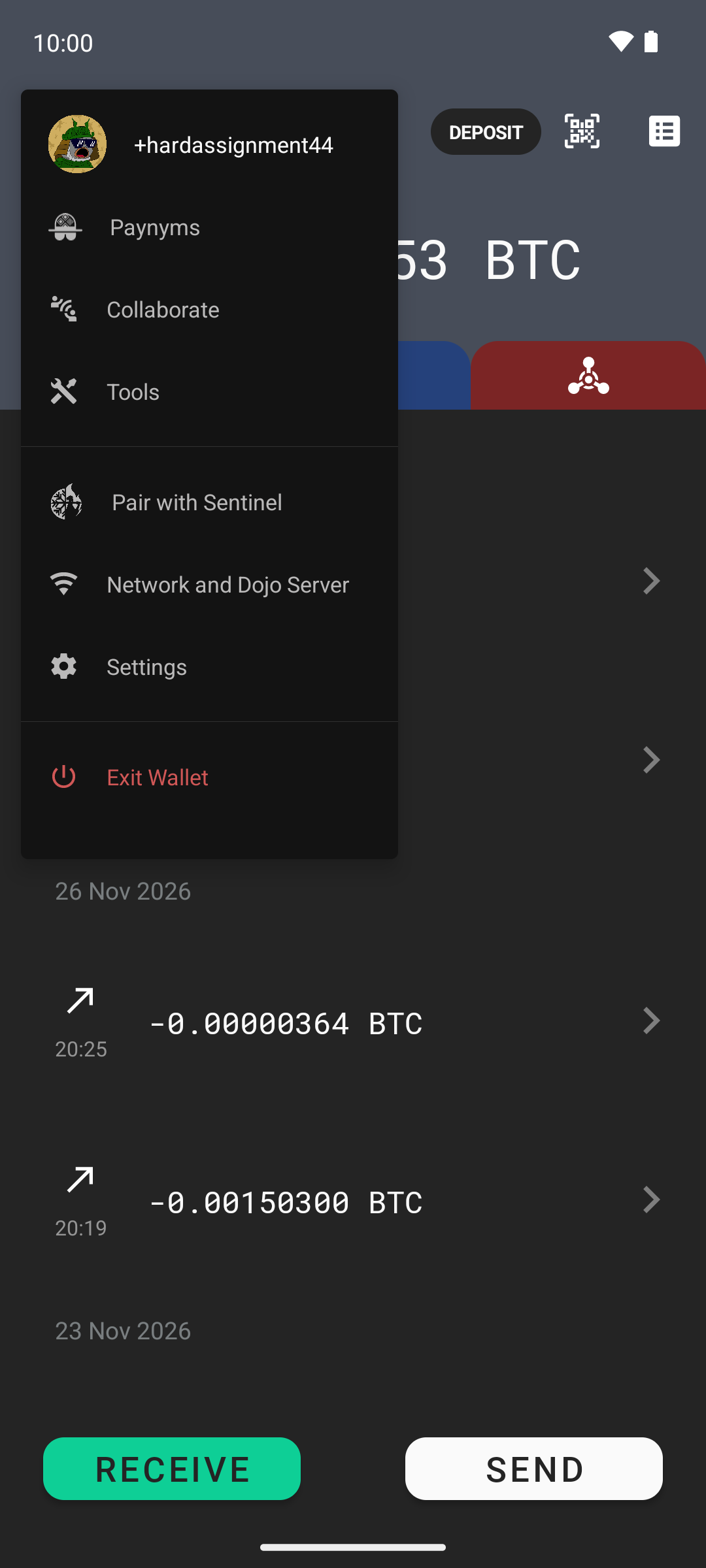
- In Ashigaru Mobile, tap your PayNym image at the top left, then tap Pair with Sentinel.
- Ashigaru shows Watch-only Sentinel pairing code with a QR code and a One time pairing password made of three words.
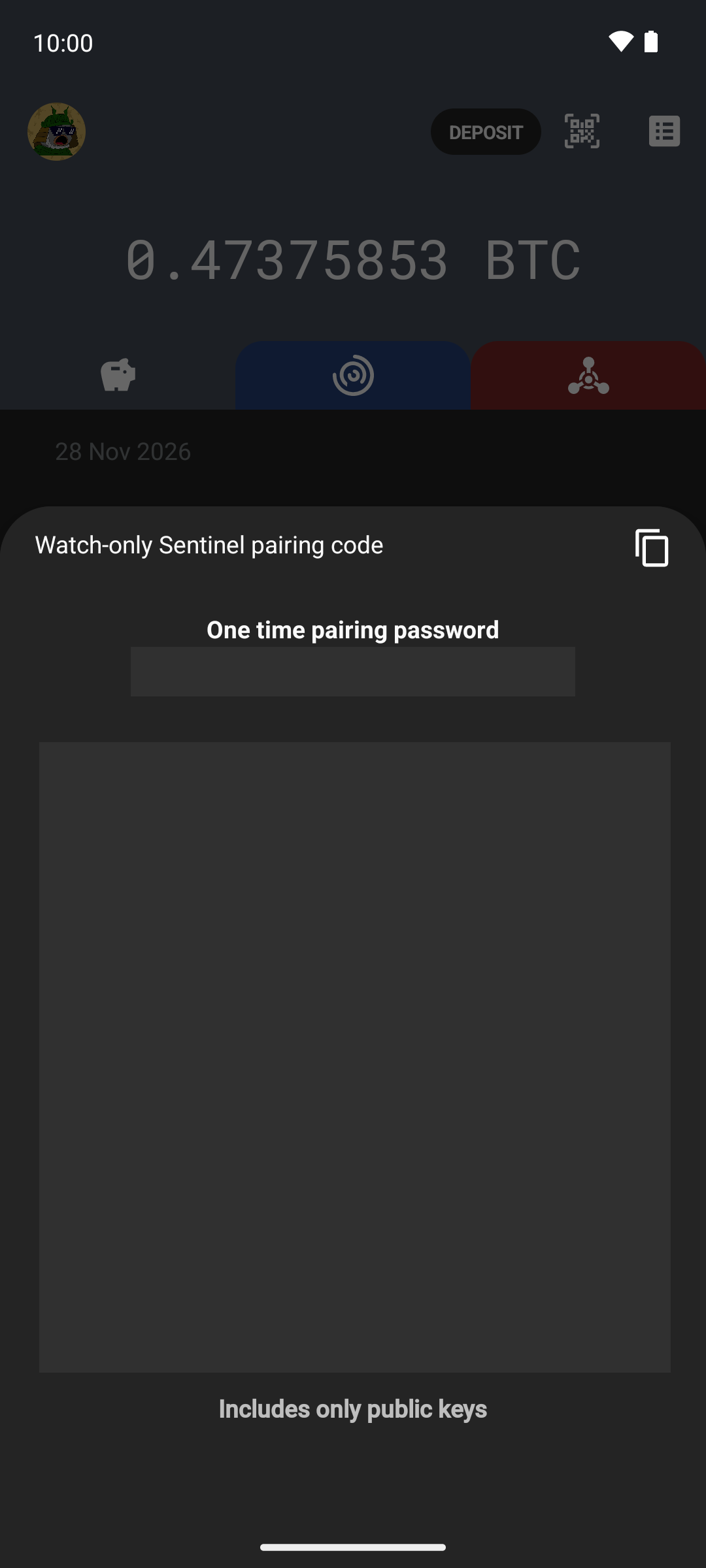
The QR code and pairing password are hidden in this screenshot.


Ashigaru makes a new password for each code. The code holds public keys only, but anyone who has the code and its password can see every address and balance in your wallet, so don't share them.
Add it in Sentinel
- On the Sentinel home screen, tap NEW.
- Scan the pairing code from Ashigaru, or tap Paste if you copied it.
- At Enter one time pairing password, type the three words into Pairing password. Tap a suggested word to complete it, or tap the paste icon to paste the whole password. Hyphens, spaces or no separator all work. Tap the eye icon to show what you typed.
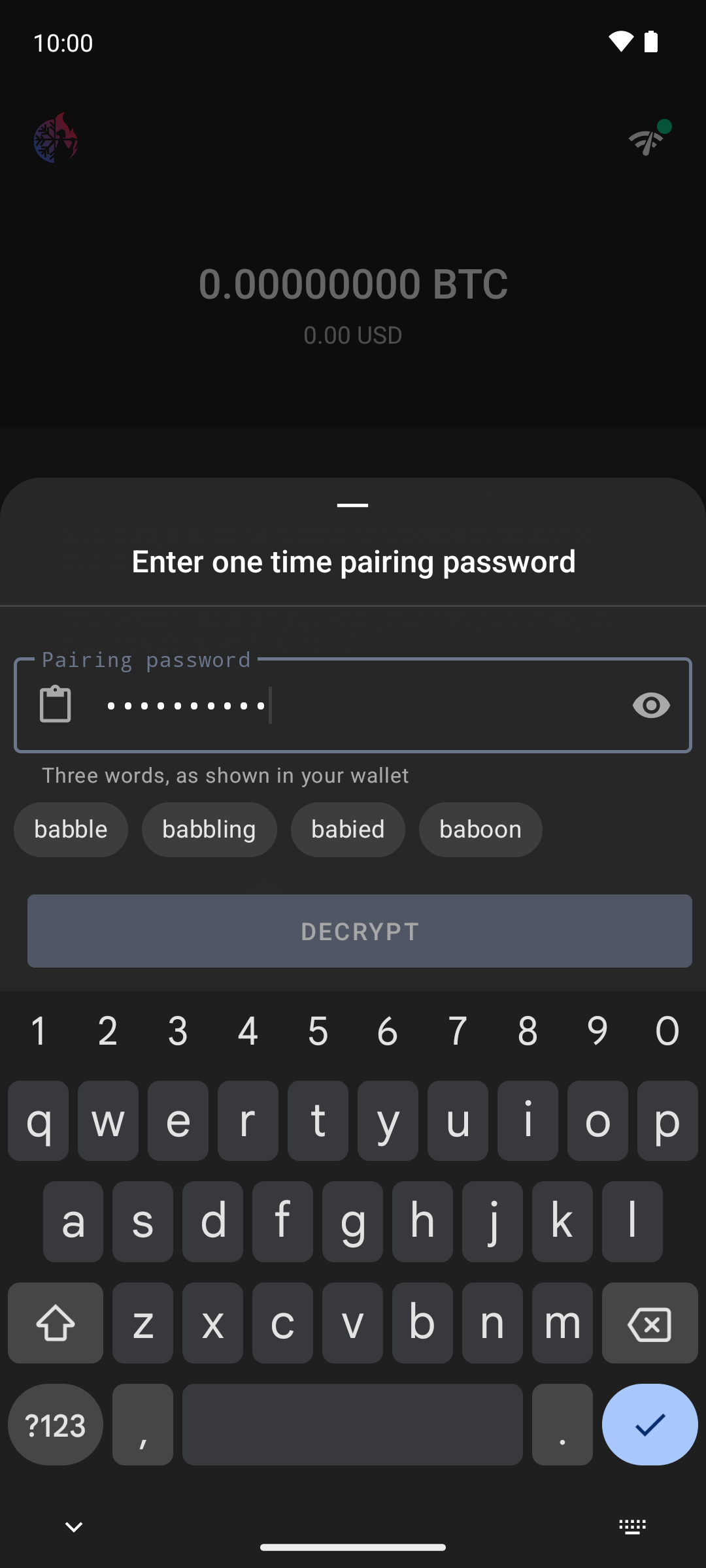
- Tap DECRYPT. It turns on once all three words are on the pairing list.
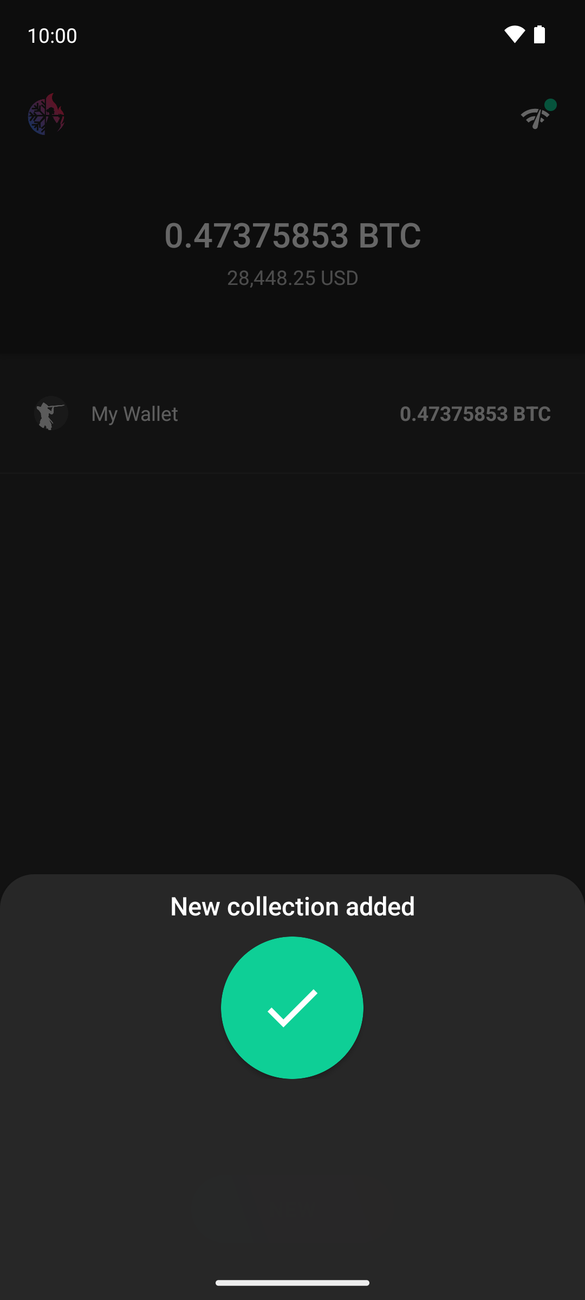
- Sentinel shows Adding collection, then New collection added.


What Sentinel adds
A collection named My Wallet with your Ashigaru accounts: Deposit, Premix, Postmix and Bad Bank (the tab on the collection screen reads Badbank), plus the Deposit BIP44 and Deposit BIP49 keys. Sentinel tracks those last two but doesn't list them on the Collection edit screen. Each key carries your wallet's master fingerprint, and key labels in this collection can't be edited. Check that the first receiving addresses match those in Ashigaru before using them. Sentinel only watches. Ashigaru keeps your private keys and signs; for spending, see Send and Broadcast Transaction.


If pairing doesn't work
While you type, Sentinel can show Not a pairing word: 'xqzzy' if a word isn't on the pairing list, or A pairing password has three words if you typed more than three. DECRYPT stays off until the password is three words from the list.
If you tap DECRYPT and Sentinel says Incorrect password, please try again., the words are valid but don't match this code. The sheet stays open, so you can retry. Check the three words against Ashigaru, or make a new pairing code in Ashigaru and use its new password.
If Sentinel can't read the code, make a new pairing code. If it says the code came from a newer version of Ashigaru, update Sentinel. If it skips some keys, it names them; add those accounts one at a time as described below.
Or add accounts one at a time
In Ashigaru Mobile, open Settings → Wallet → View extended public keys. Ashigaru documents this location in its mobile wallet release notes. The same menu includes Show wallet account technical info for account recovery information.
Use the extended public key for each account you want to watch. Do not enter your seed words or private keys to watch an account in Sentinel.
Add the account to Sentinel
Follow Start Watching to add the first public key, or Add Additional Public Keys for another account. Give each key a clear account label and choose the matching address type. Check that the first receiving addresses match those in Ashigaru before using them.
Watch the accounts you use
If you add public keys by hand, add each account you need separately; one extended public key does not cover every account in your wallet. Ashigaru documents Deposit, Premix, Postmix and Badbank accounts in its Whirlpool account guide. Watch the account that actually holds your funds rather than relying on a fixed list of keys.
Sentinel watches balances and transactions; it does not mix or remix coins. For coinjoin instructions and eligibility, use Ashigaru’s own documentation.
Keep your signing wallet and backups
An extended public key lets Sentinel watch an account, not spend from it. It cannot recover spending access. Keep your signing wallet and its recovery backups safe; adding an account to Sentinel is not a reason to erase the signing wallet.
For spending with an offline signing wallet, see Send and Broadcast Transaction.